





The most natural gestures on a screen all had to be taught first.
Don’t show this again
- Date
- Oct 2023
- Topic(s)
- Accessibility, Human Interface Design
- Summary
- Solitaire taught a generation to drag and drop with a mouse, and the iPhone’s first screen taught people to swipe. Building accessible drag and drop at GitHub, the team found keyboard users needed a…
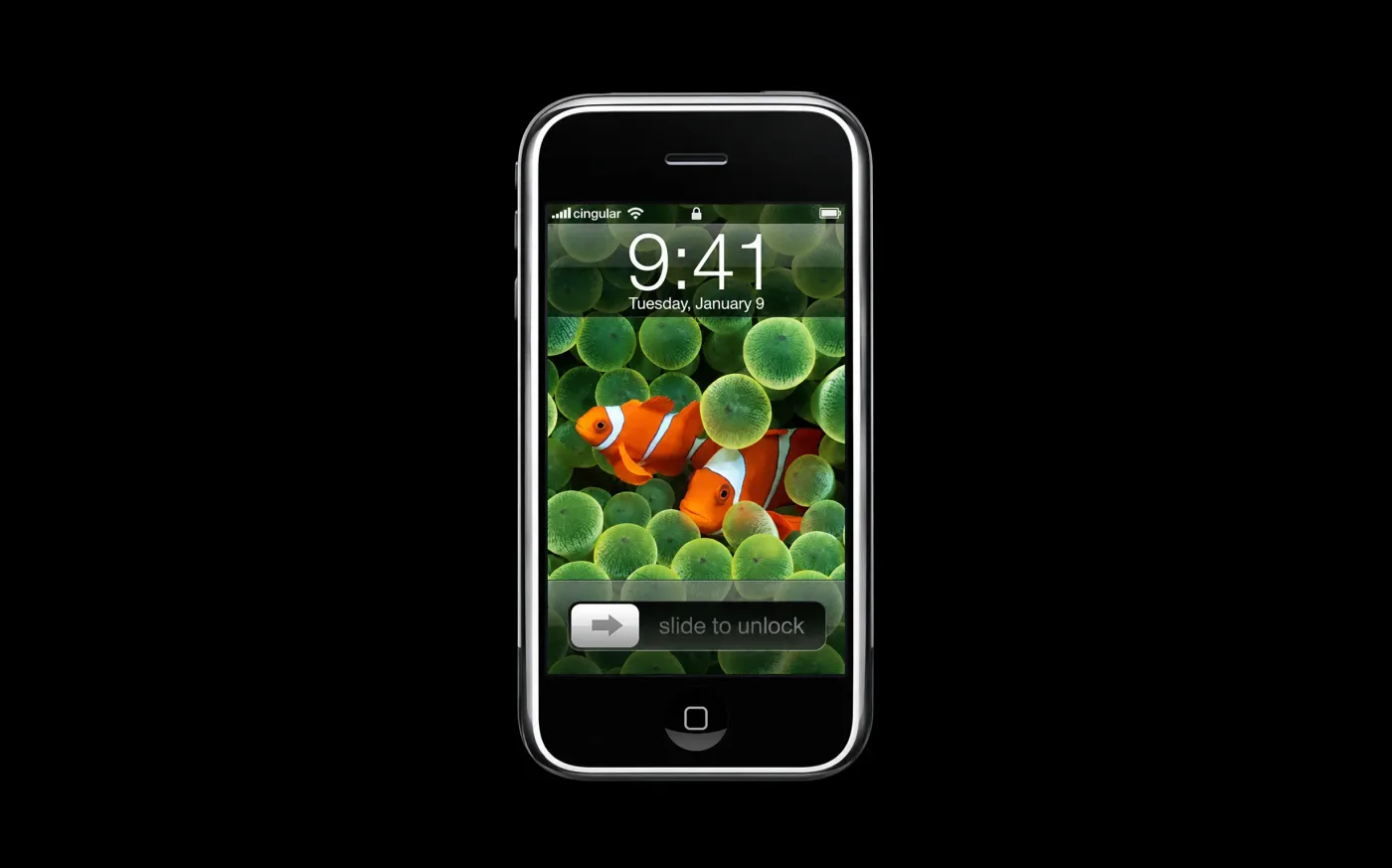
The first thing the original iPhone asked you to do was read. Under the clock on its lock screen sat a slider and three words: slide to unlock.
It’s a strange instruction for a phone that was supposed to need none. When Steve Jobs introduced it in January 2007, he waved away the stylus. “We’re going to use the best pointing device in the world,” he said, and meant your finger. Then he unlocked the phone by sliding one across the glass.1
A finger is the most natural pointer there is. But in 2007, almost nobody had dragged one across a phone, so the very first gesture came with its own caption.
Apple wasn’t the first company to teach a gesture with a toy.
In 1988, a Microsoft intern named Wes Cherry wrote a card game in his spare time. Two years later it shipped with Windows 3.0 as Solitaire, with cards drawn by Susan Kare, who had designed the original Macintosh icons.2
Solitaire looks like a way to lose an afternoon, and it was. But that wasn’t the whole reason it was there. In 1994, a Microsoft product manager told The Washington Post that the game was meant to soothe people intimidated by the operating system.3 Most of them had never used a mouse. To move a card you pressed down, held, slid it across the table and let go: a drag and drop, practiced a few hundred times a game, without anyone calling it a lesson.4
It worked so well that the gesture stopped feeling learned. More than thirty years later, Microsoft says its Solitaire collection still has over 35 million players a month.4
In 2023, I worked on drag and drop at GitHub with Alexis Lucio, Kendall Gassner, Hussam Ghazzi and Aarya BC.
Teams across GitHub kept reaching for it: reordering lists, moving cards, rearranging fields. And drag and drop, the way most of the web builds it, assumes two things: that you have a mouse, and that you can see where you’re dragging. For someone using a keyboard, a screen reader or voice control, it usually just doesn’t work.
We started small, with lists that move in one direction.5 Then came the real question: what does a drag mean without a pointer?
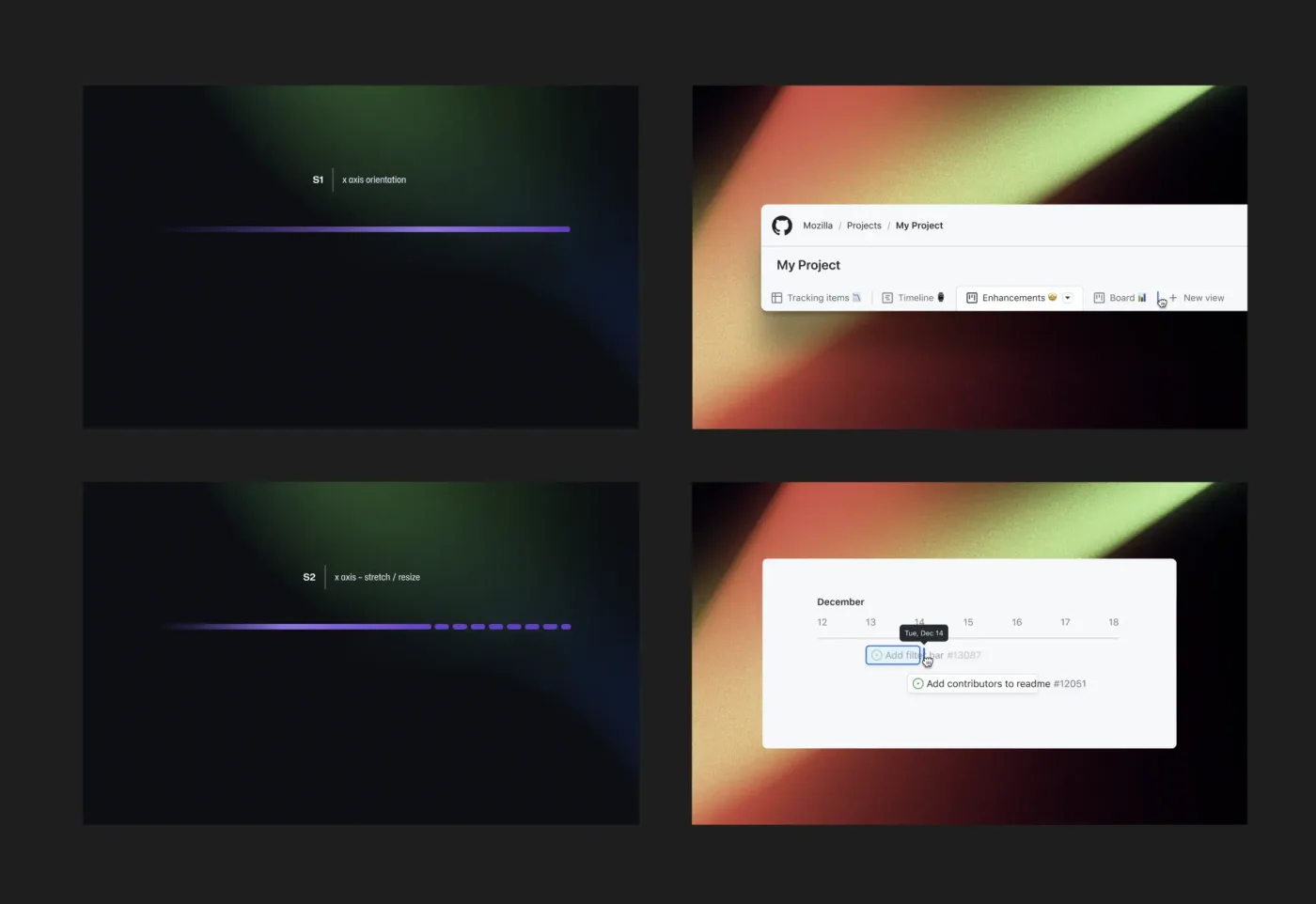
Sketches for the directions a list can move in, and where each shows up on GitHub.
We chose the arrow keys, because they already mean “move” to anyone who uses a keyboard. That ran straight into screen readers, which use the same keys to move around a page, so the arrows only take over while you’re carrying something and hand back the moment you drop it or cancel. Every move is read out, so you hear where the item landed. And for voice control, where a drag is close to impossible, there’s a plain dialog instead: pick the item, pick where it goes.5
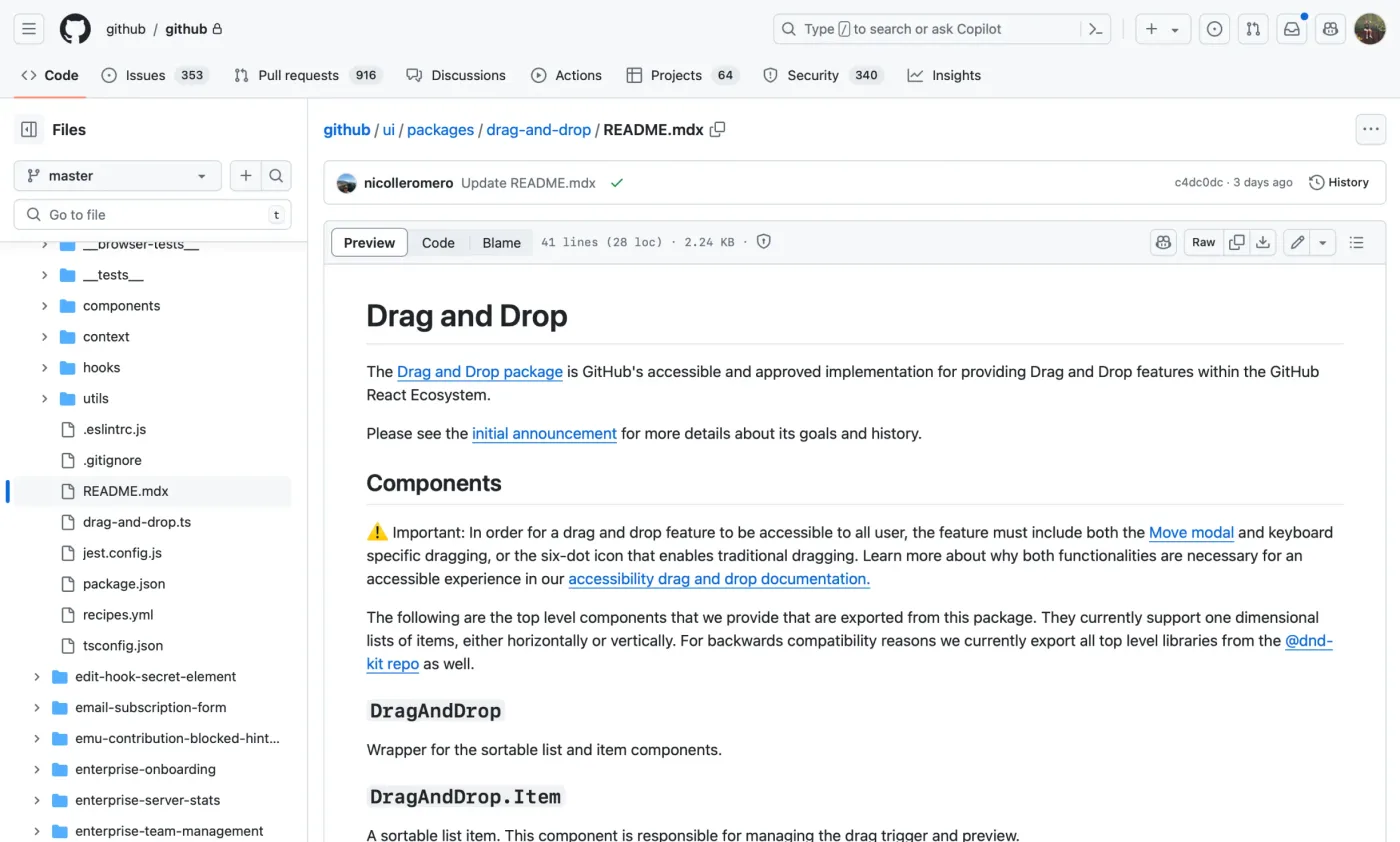
The README for the drag and drop package we built for teams across GitHub.
Then testing turned up something we hadn’t planned for. People knew how to drag with a mouse. They had no idea you could drag with a keyboard.5 The interaction made sense once you knew it existed, but nobody had ever taught it.
So we wrote the lesson: a short dialog that explains the keys the first time you pick something up, with a button that says Don’t show this again. The package went to teams across GitHub, and the first place we shipped it was field settings in GitHub Projects.
Reordering options in a GitHub Projects field, the first place it shipped.
The lesson didn’t stay finished for long. In 2024, GitHub added sub-issues, so an issue could hold other issues, and I designed NestedListView, the list that shows them, with the engineers who build Primer, GitHub’s shared components.
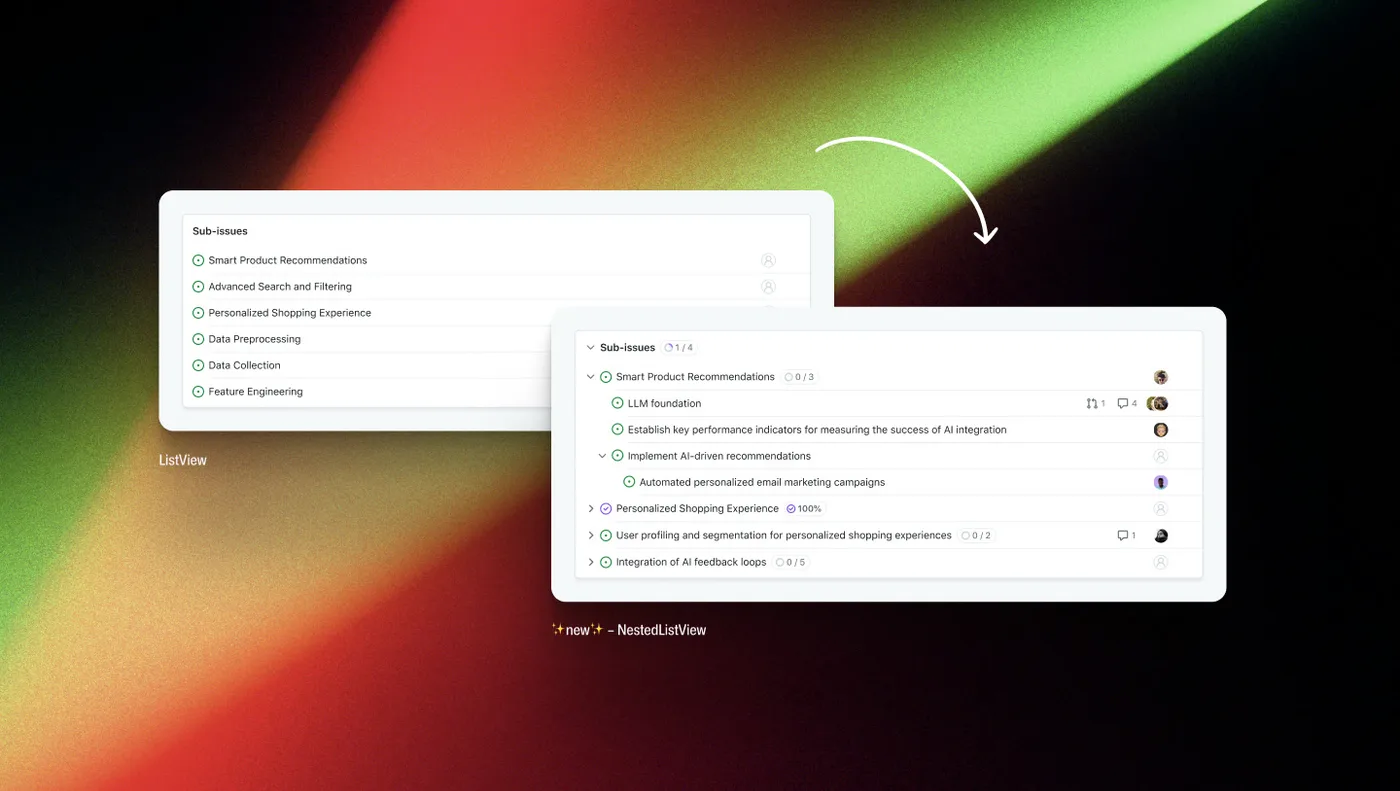
The flat list GitHub used for sub-issues, and NestedListView, which nests them.
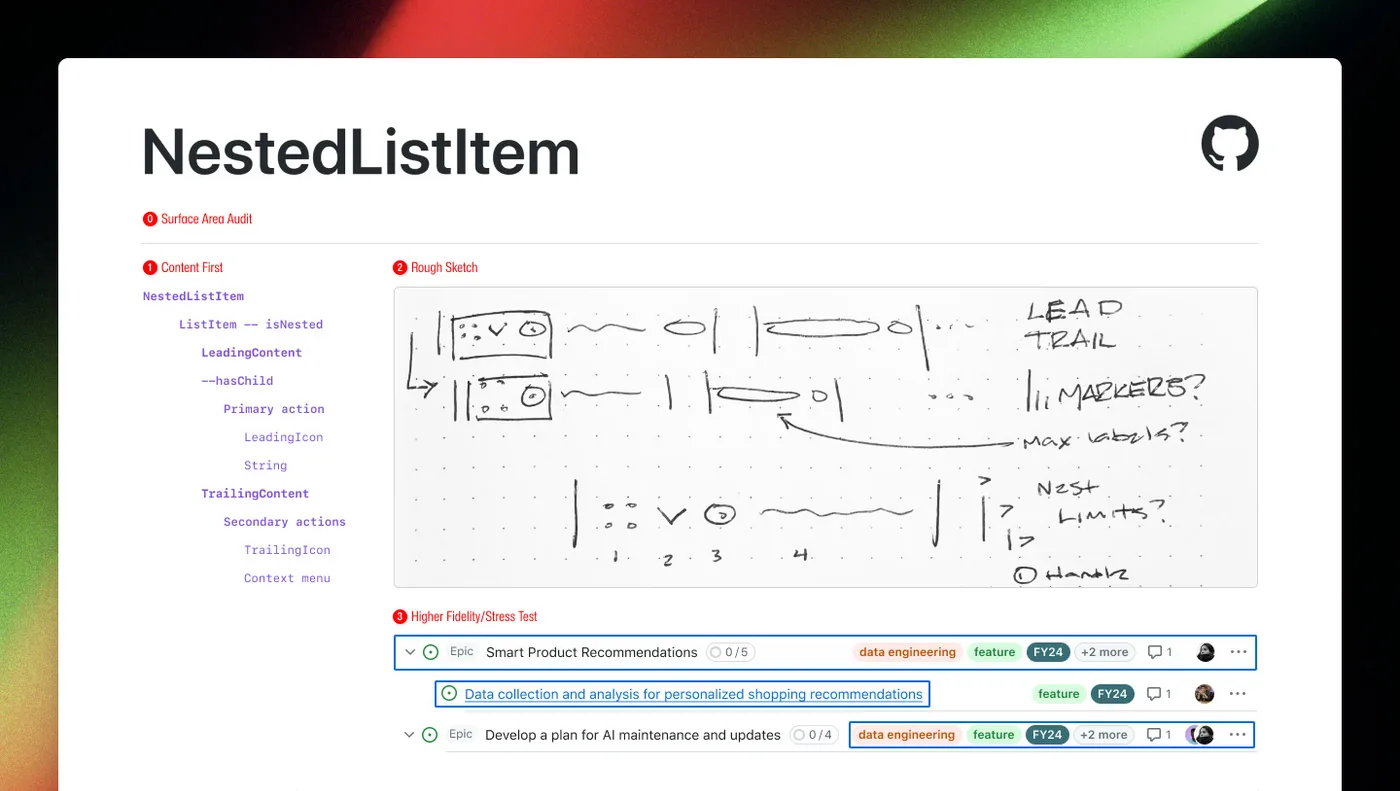
Designing a nested list item: its parts, a rough sketch, then a stress test with real content.
Nesting changed what a move could mean. An item could still go up or down the list, but now it could also go into a parent or out of one. And when we went looking for an accessible way to drag something around a tree, we couldn’t find one. Drag and drop inside a tree is rare enough on the web that nobody had settled on a pattern, so the keyboard lesson had to be worked out again, one key at a time.
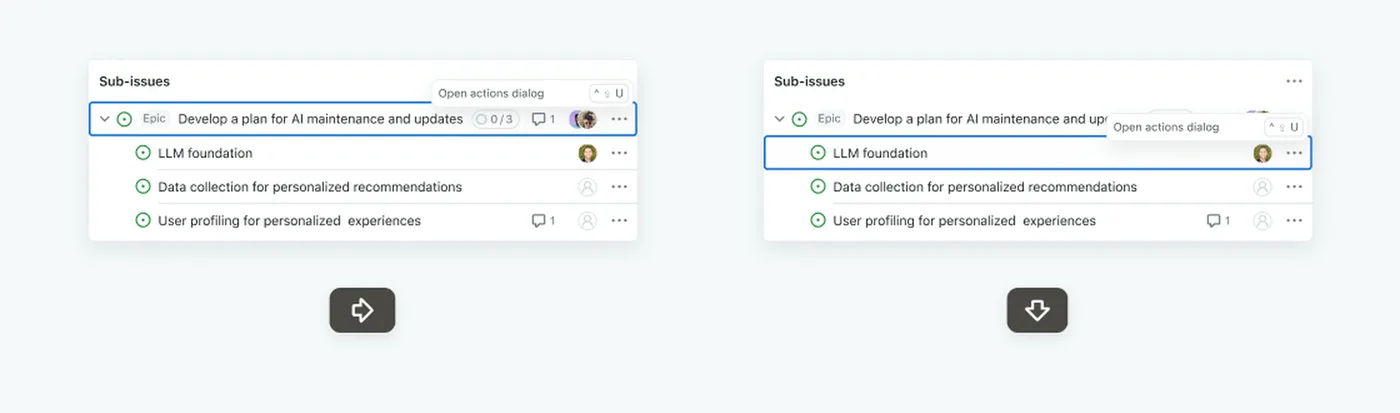
Moving through sub-issues from the keyboard, one arrow key at a time.
We like to call good interfaces intuitive, as if people were born knowing them. Mostly they were taught, by a card game or three words on a lock screen, and then everyone forgot the teaching happened. The people left out are the ones the lesson was never written for.
Apple got there with the iPhone too. Two years after slide to unlock, the iPhone 3GS added VoiceOver, with a new set of gestures for people who can’t see the screen.6 Another lesson, for another group of people.
Don’t show this again is my favorite thing we shipped. It’s a lesson that plans for its own retirement. When someone presses it, it means the gesture they just learned is already starting to feel obvious.
P.S. the files on this site’s desk move, too. Drag one with a mouse or a finger, or tab to it and use the arrow keys (hold Shift to move it further). Screen readers are told how when they land on one. No dialog, though; it felt like too much for a desk.
Footnotes
1Steve Jobs, introduction of the iPhone, Macworld San Francisco, January 9, 2007 (keynote transcript).
2Wes Cherry writing Solitaire as an intern: Megan Farokhmanesh, “A bored intern created the original Windows Solitaire,” The Verge, April 13, 2017. Susan Kare’s card deck: kare.com.
3Joel Garreau, “Office Minefield,” The Washington Post, March 9, 1994.
4Solitaire teaching drag and drop, and its players today: Xbox Wire, “Celebrating 30 Years of Microsoft Solitaire,” May 22, 2020.
5Kendall Gassner, “Exploring the challenges in creating an accessible sortable list (drag-and-drop),” The GitHub Blog, July 9, 2024.
6VoiceOver on the iPhone 3GS, June 2009: MacStories, “A Timeline of iOS Accessibility: It Started with 36 Seconds.”
The ideas and opinions in this post are mine. Claude helps with research.